Search Docs
Search through documentation...

UI Components
See the /infinite example for a live demo with all components in action.
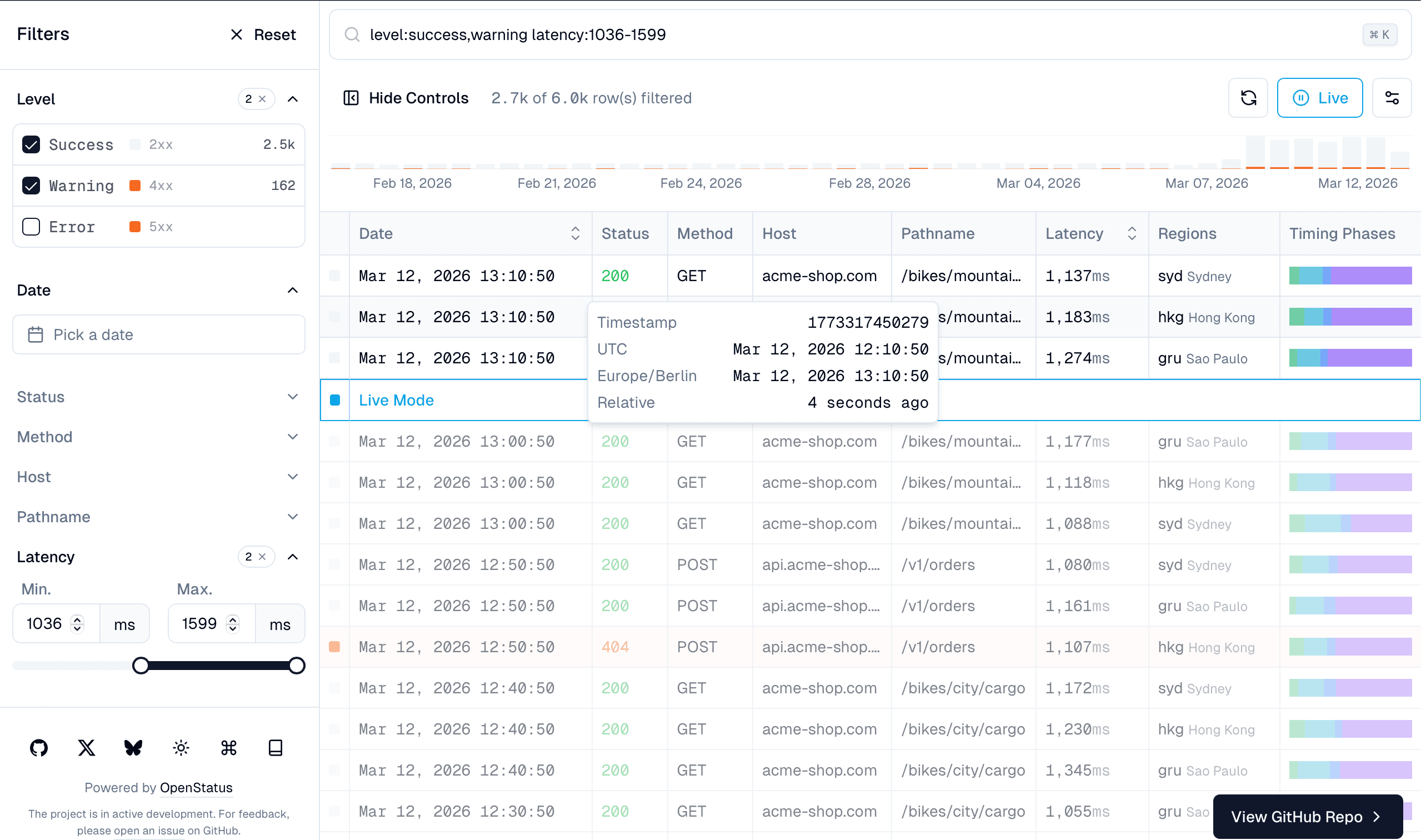
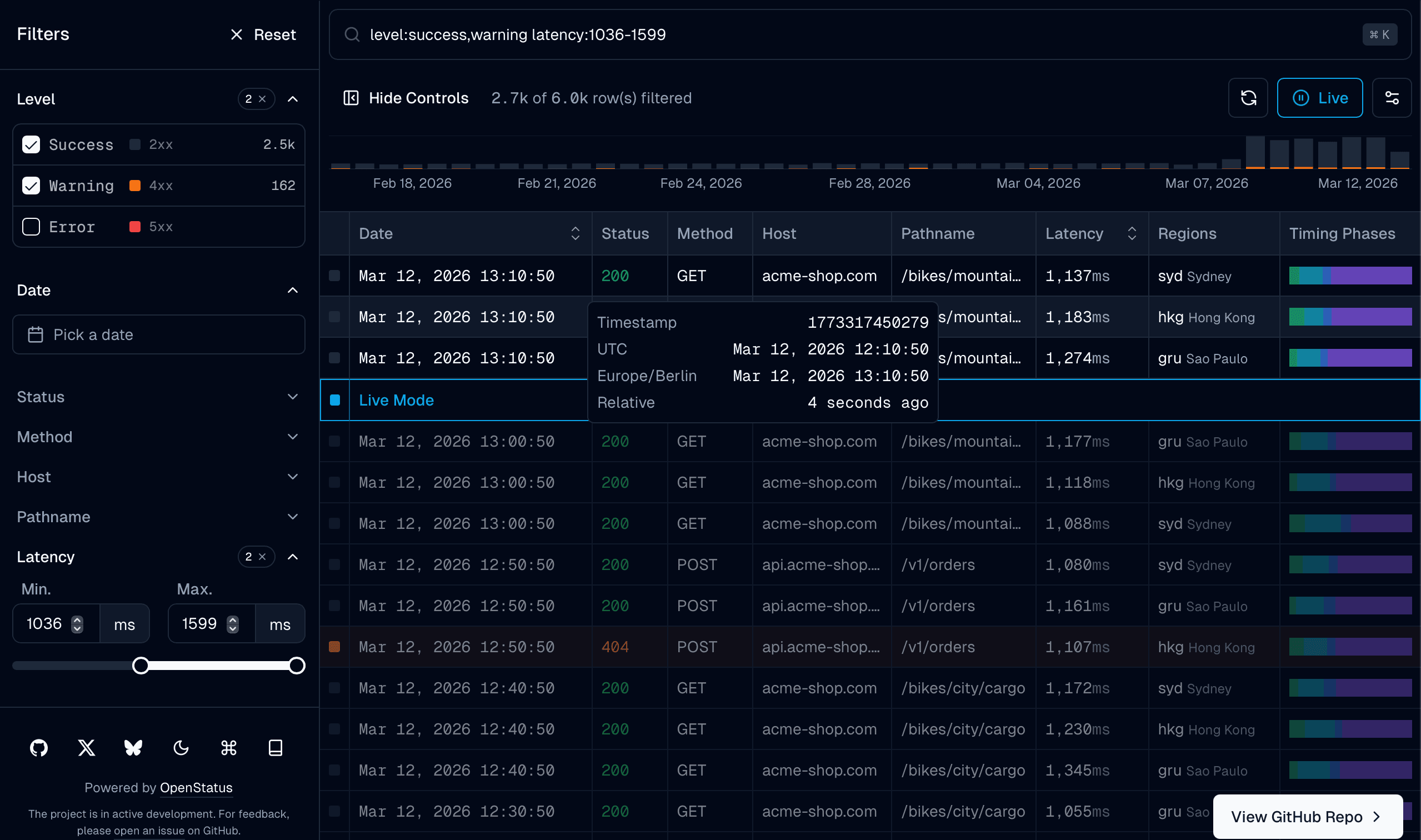
DataTableInfinite
The main infinite scroll table component. Located at src/app/infinite/data-table-infinite.tsx.
<DataTableInfinite
  columns={columns}
  data={flatData}
  totalRows={totalDBRowCount}
  filterRows={filterDBRowCount}
  totalRowsFetched={totalFetched}
  defaultColumnFilters={defaultColumnFilters}
  defaultColumnSorting={sort ? [sort] : undefined}
  defaultColumnVisibility={defaultColumnVisibility}
  filterFields={filterFields}
  sheetFields={sheetFields}
  schema={filterSchema.definition}
  meta={metadata}
  isFetching={isFetching}
  isLoading={isLoading}
  fetchNextPage={fetchNextPage}
  hasNextPage={hasNextPage}
  fetchPreviousPage={fetchPreviousPage}
  refetch={refetch}
  renderSheetTitle={(props) => props.row?.original.pathname}
  getRowId={(row) => row.uuid}
  chartData={chartData}
  chartDataColumnId="date"
/>
DataTableFilterControls
The left sidebar with accordion-based filter controls. Renders the appropriate UI component for each filter type:
- Checkbox — multi-select with search and count display
- Slider — dual min/max range inputs
- Input — text search with debounce
- Timerange — date range picker with preset shortcuts
Toggle with Cmd+B. For responsive layouts, DataTableFilterControlsDrawer provides a mobile-friendly drawer alternative.
DataTableFilterCommand
The command palette for text-based filtering. Opens with Cmd+K.
Supports filter syntax:
- Regular:
host:API - Union:
regions:ams,gru - Range:
latency:100-500 - Quoted:
host:"API Server"(for values with space)
<DataTableFilterCommand schema={filterSchema.definition} tableId="my-table" />Want AI-powered natural language queries in your command palette? Install the
data-table-filter-command-aiblock for an enhanced version that translates free-form text into structured filters. See AI Filters.
DataTableFilterAICommand
A drop-in replacement for DataTableFilterCommand that adds natural language query support. It includes everything from the standard command palette (structured key:value syntax, autocomplete, history) plus:
- AI inference — type a free-form query like "5xx errors in the last hour" and press Enter. The input is sent to your AI endpoint, which streams back structured filters.
- TextShimmer — while the AI is processing, the closed command bar displays the query with a shimmer animation so the user knows it's working.
- Sparkles indicator — an
AI:badge in the footer and a sparkles icon on the infer suggestion hint that the input is being treated as natural language.
The component automatically detects whether the input is structured (host:API) or natural language (show me slow requests) based on whether it matches known field names.
<DataTableFilterAICommand
  schema={filterSchema.definition}
  tableSchema={tableSchema.definition}
  api="/api/ai/filters"
  tableId="my-table"
/>| Prop | Type | Description |
|---|---|---|
schema | SchemaDefinition | BYOS schema for parsing/serializing filter values |
tableSchema | TableSchemaDefinition | Table schema for AI context generation |
api | string | API endpoint that streams AI filter results |
tableId | string | Unique ID for localStorage namespacing (default: "default") |
For full setup including the API route and provider configuration, see AI Filters.
DataTableSheetDetails
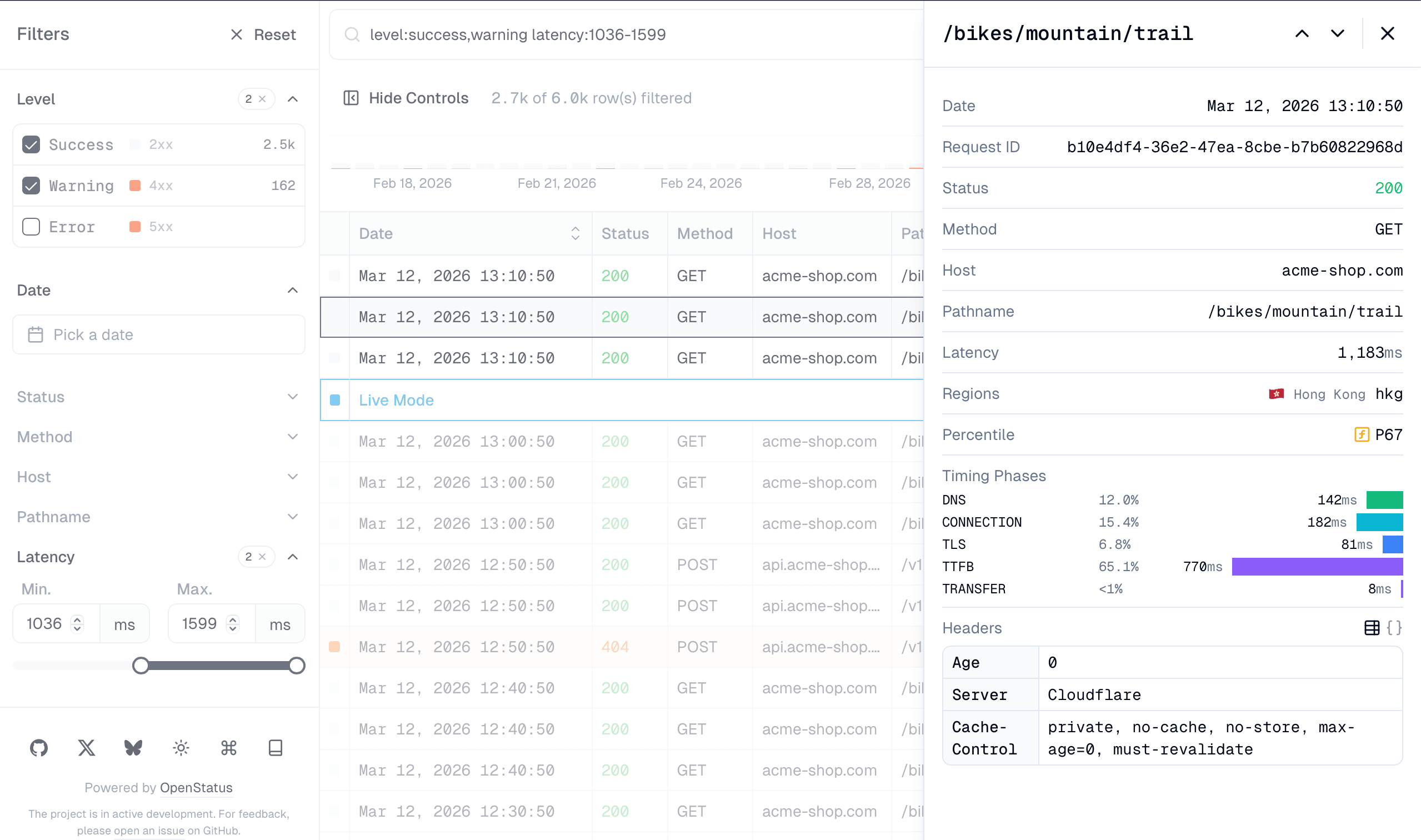
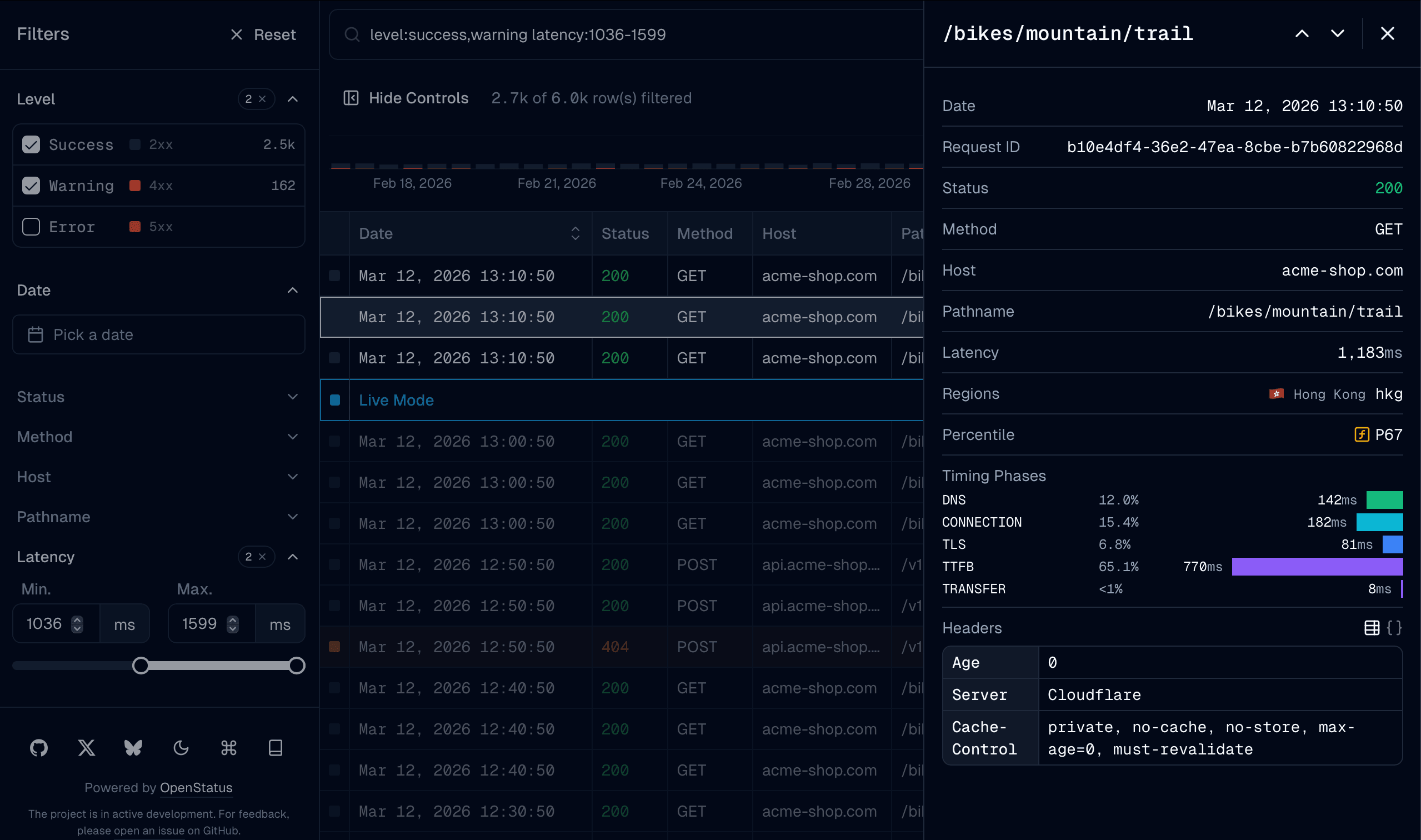
Row detail drawer. Opens when a row is selected. Supports keyboard navigation between rows.
<DataTableSheetDetails
  title={<>{row?.original.pathname}</>}
  titleClassName="font-mono"
>
  <DataTableSheetContent fields={sheetFields} />
</DataTableSheetDetails>
DataTableFloatingBar
A fixed bottom bar that appears when rows are selected, providing a slot for bulk action buttons. Dismisses when no rows are selected.
- Shows
"{n} selected"count with a deselect button Cmd+Shift+Xhotkey to deselect all rows- Uses a render prop that receives the selected
rowsandtableinstance
<DataTableFloatingBar<ColumnSchema>>
  {({ rows, table }) => (
    <Button
      variant="outline"
      size="sm"
      onClick={() => {
        const json = JSON.stringify(
          rows.map((r) => r.original),
          null,
          2,
        );
        navigator.clipboard.writeText(json);
      }}
    >
      Copy {rows.length} rows
    </Button>
  )}
</DataTableFloatingBar>
Pass it via the floatingBarSlot prop on DataTableInfinite:
<DataTableInfinite
  floatingBarSlot={
    <DataTableFloatingBar<ColumnSchema>>
      {({ rows }) => <MyBulkActions rows={rows} />}
    </DataTableFloatingBar>
  }
  // ...other props
/>
Cell Components
Built-in cell renderers (used automatically by generateColumns):
DataTableCellText— plain text with overflow tooltipDataTableCellCode— monospaceDataTableCellNumber— formatted with optional unitDataTableCellBar— the number over a bar filled to its share ofmin–maxDataTableCellHeatmap— the number over a cell tinted by that same shareDataTableCellGauge— the number beside a circular gaugeDataTableCellTimestamp— relative time with absolute tooltipDataTableCellBadge— colored chipDataTableCellBoolean— checkmark / dashDataTableCellStar— filled yellow star / outlined muted starDataTableCellStatusCode— HTTP status stylingDataTableCellLevelIndicator— severity dot
Each takes an optional color (a hex string). Rather than passing it per cell,
set colorMap on the column's display config — generateColumns and the sheet
look the row's value up in it and pass the result through as color.
Filter Functions
Columns produced by generateColumns carry their filterFn as a function, resolved from
the table schema's declared semantics. They need no registration — the same interpretation runs
on the client, in the in-memory routes, and in SQL.
Registration is only needed for columns you write by hand that refer to a filter function by name. In TanStack Table v9 that registration lives on the feature set, not on the table config:
// lib/table/features.ts
import {
  filterFn_arrIncludes,
  filterFn_arrIncludesSome,
  filterFn_equals,
  filterFn_includesString,
  filterFn_inNumberRange,
  filterFn_weakEquals,
  tableFeatures,
} from "@tanstack/react-table";
import { arrSome, inDateRange } from "@/lib/table/filterfns";

export const dataTableFeatures = tableFeatures({
  // ...features and row models
  filterFns: {
    // The six names `filterFn: 'auto'` resolves to. Register all of them —
    // see the note below. `inDateRange` is the sixth, supplied further down.
    includesString: filterFn_includesString,
    inNumberRange: filterFn_inNumberRange,
    equals: filterFn_equals,
    arrIncludes: filterFn_arrIncludes,
    weakEquals: filterFn_weakEquals,
    // Not auto-resolved: registered because columns reference it by name.
    arrIncludesSome: filterFn_arrIncludesSome,
    // Ours. `inDateRange` deliberately shadows the v9 built-in of the same
    // name, so it also serves `'auto'` for Date columns.
    inDateRange,
    arrSome,
  },
});inDateRange— matches dates within [start, end] rangearrSome— matches if row value is in the filter array
filterFn defaults to 'auto', which resolves by data type to includesString, inNumberRange,
equals, arrIncludes, inDateRange, or weakEquals. Unlike v8, an unregistered name does not
fall back — the column simply stops filtering (and warns in development) — so features.ts registers
that whole set.
Extending TanStack Table Types
v9 threads a TFeatures type parameter through every table type, including the
declaration-merged meta interfaces:
import "@tanstack/react-table";

declare module "@tanstack/react-table" {
  interface TableMeta<
    in out TFeatures extends TableFeatures,
    in out TData extends RowData,
  > {
    getRowClassName?: (row: Row<TFeatures, TData>) => string;
  }

  interface ColumnMeta<
    in out TFeatures extends TableFeatures,
    in out TData extends RowData,
    TValue extends CellData = CellData,
  > {
    headerClassName?: string;
    cellClassName?: string;
    label?: string;
    kind?: string;
  }
}
The v8 FilterFns augmentation is gone — filter functions are registered in the
filterFns slot on tableFeatures() instead (see Filter Functions).